
Adding Barnes&Noble purchase link
Completion requirements
To add the Barnes&Noble link for students to purchase course materials, do the following:
Select Turn editing on

Select Add an activity or resource from the bottom left hand corner of the page

Select the radio button External tool. Select Add from the bottom of the window.

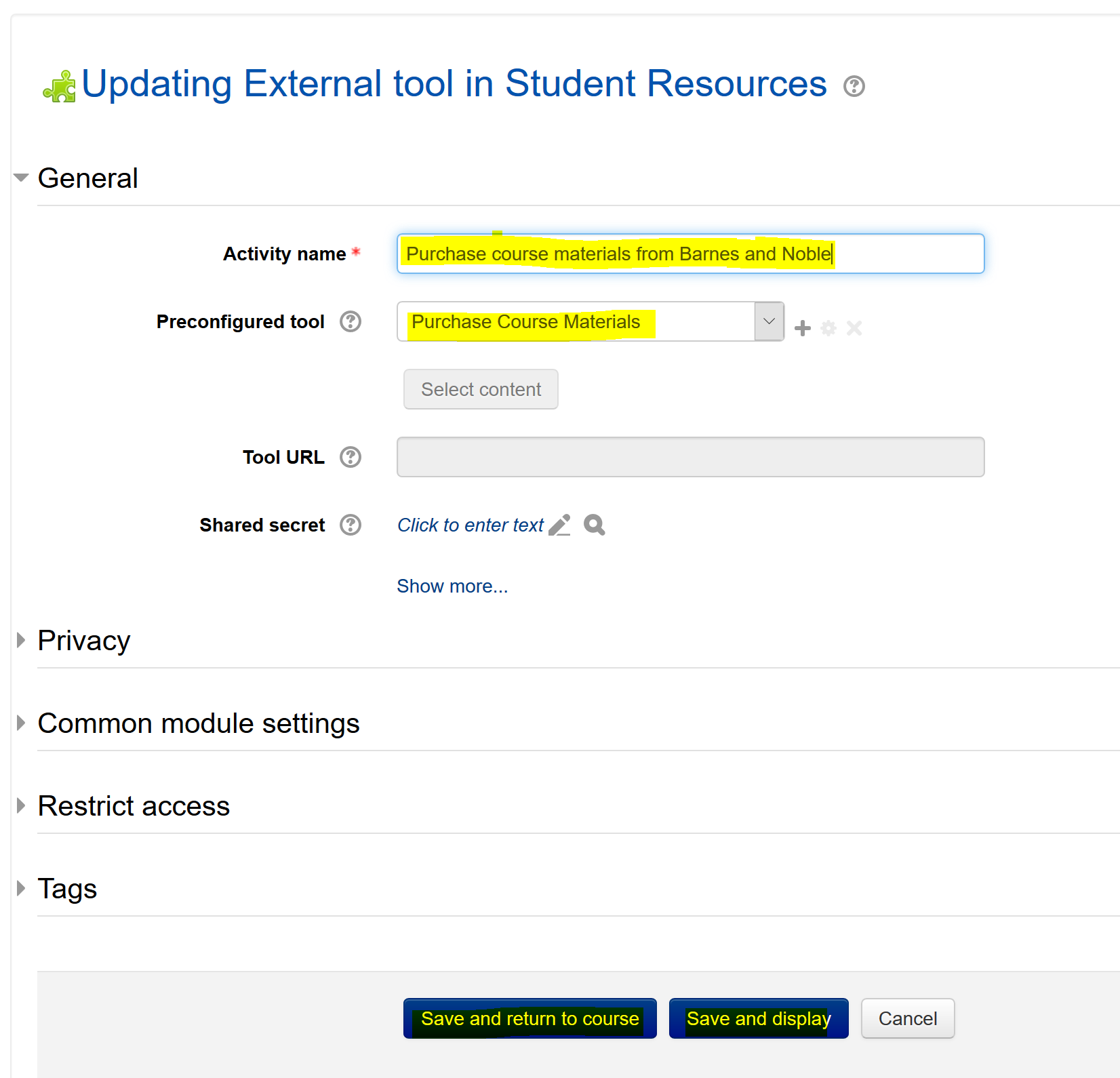
Type in Purchase course materials from Barnes and Noble in the Activity name field.
Select Purchase Course Materials from the Pre-configured tool option, and Save from the bottom of the window
The link that you created should appear in the course.

Click on the link that you created, it should link you to the Barnes and Noble page for students to purchase course materials.
If you have any questions, feel free to send an email to moodle@lssu.edu
Last modified: Monday, July 13, 2020, 1:24 PM