
Adding an additional Faculty to your Moodle course
Completion requirements
From the Administration block on the left panel, select Users and Enrolled users as shown below:

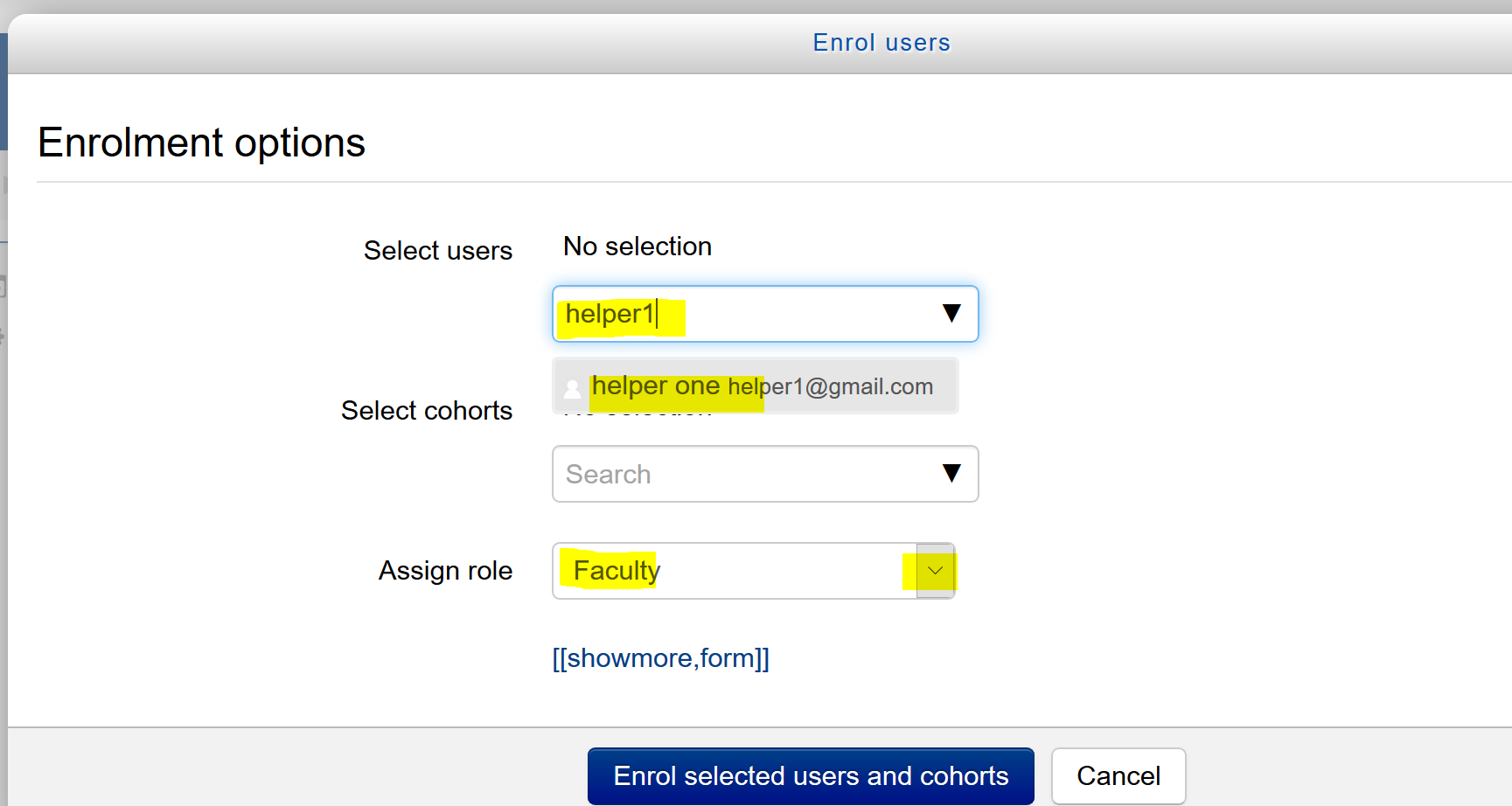
Select Faculty from the drop-down list Assign role
Type in the username of the faculty (the first part of the LSSU email address before the @lssu.edu) in the Select users box as shown below. Select the email address that displays (second line that says - helper one helper1@gmail.com)
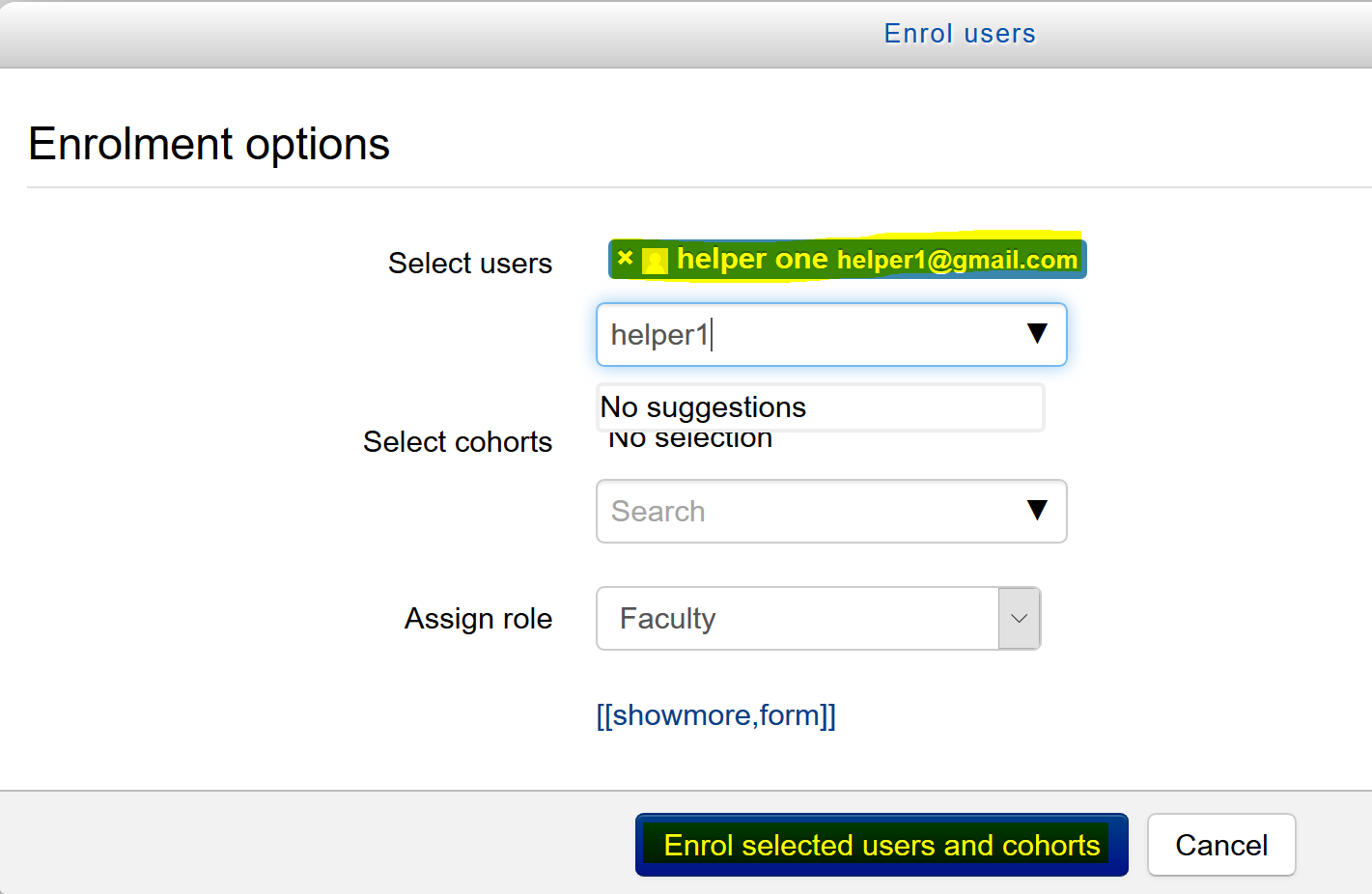
The faculty to be added is listed in blue as shown in the pic below. Select the button Enroll selected users and cohorts.
The faculty added should be listed as shown in the picture below:

Last modified: Sunday, May 10, 2020, 10:08 PM